Guide ·
What Is a Lookbook? Meaning, Types and How to Make One
A lookbook is a collection of photos of models wearing a season or collection, showing how the clothes are styled and worn. Brands use it to present a new collection to buyers and customers; online stores use it to show the clothes they sell as outfits. It can be a printed book, a web page, a PDF or a social post.
Lookbook vs. catalog vs. product page photos
| Lookbook | Catalog | Product page photos | |
|---|---|---|---|
| Shows | How the clothes look on, outfits and mood | The product range with order details such as price and sizes | One product from the front, side and back, plus details |
| Covers | One season or collection | Everything for sale | One product |
| Used for | Buyer meetings, brand introductions, campaigns, social media | Wholesale orders, stores | Online store product pages |
Types of lookbooks
- Seasonal lookbook
- A brand gathers each new collection into one book. The same model and location keep it reading as one story.
- Store styling lookbook
- An online store groups the clothes it sells into outfits to show how to wear them, on campaign pages, at the top of product pages or on social media.
- Design portfolio
- Designers and stylists collect their work. It is also used to see a design on a model before production.
How to make a lookbook
Decide where it goes
A PDF for buyers, a store campaign page or a social post each need a different image ratio and number of images.
Plan the looks
A look is one outfit worn by one model. Group the clothes into looks and decide the order.
Match model, background and poses
The same model, background and light make the photos read as one book. Start with poses that show the garment well, such as front, side and walking.
Shoot
Shoot in a studio, or use AI virtual try-on with garment photos. With AI, a garment photo is enough to choose the model, background and poses.
Pick and check
Keep only shots whose color, pattern, logos and length match the real garment. For AI images, check the AI labeling rules of where you sell.
Put it together and share
Arrange the picked shots in order and send them as a link or a PDF.
An AI lookbook from one garment photo
These were shot on Lookbook.im from a single photo of a light grey hoodie: the same model and background, one image per chosen pose.
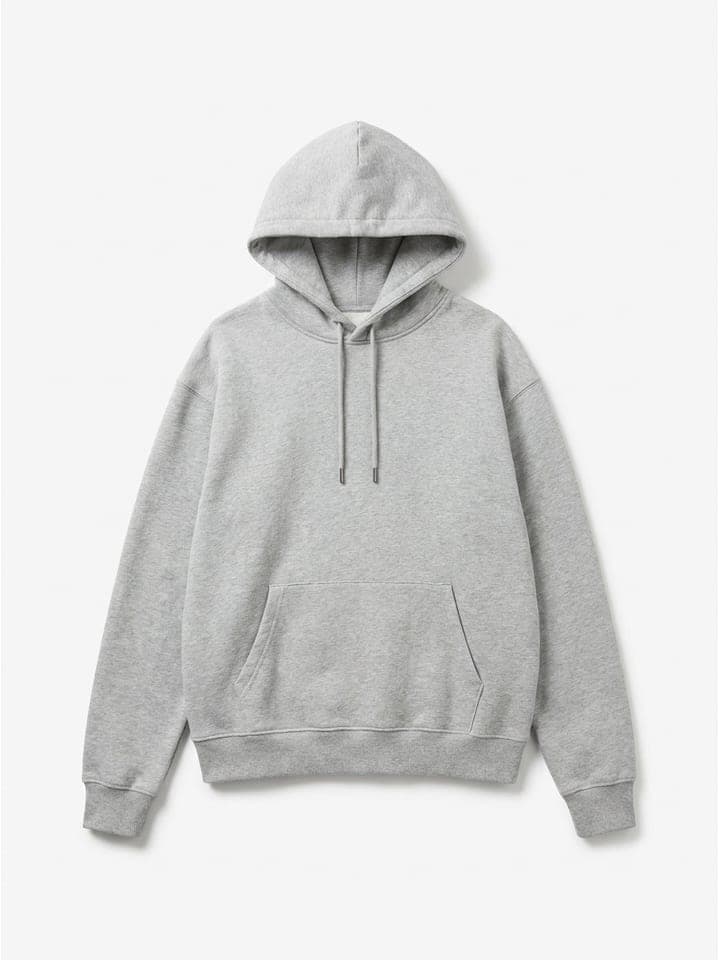
Garment photo
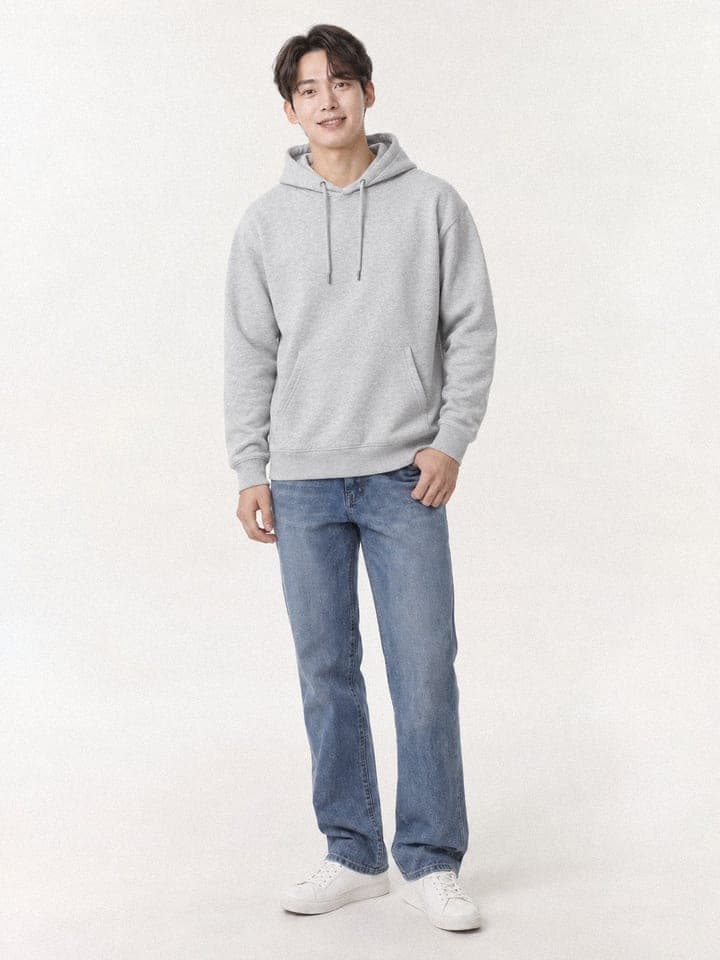
Front
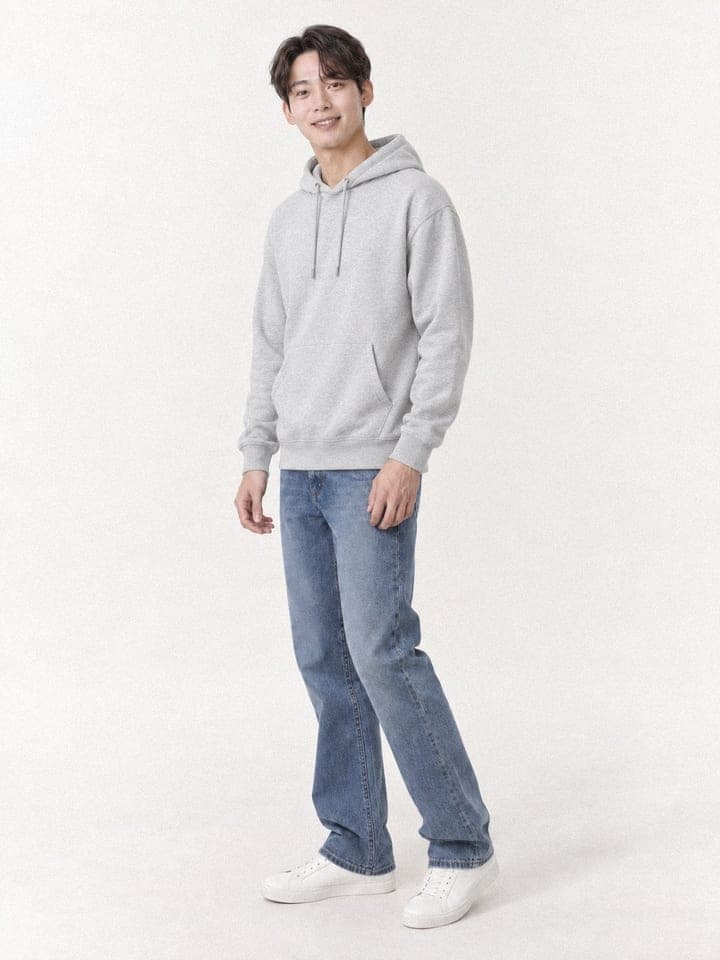
Side
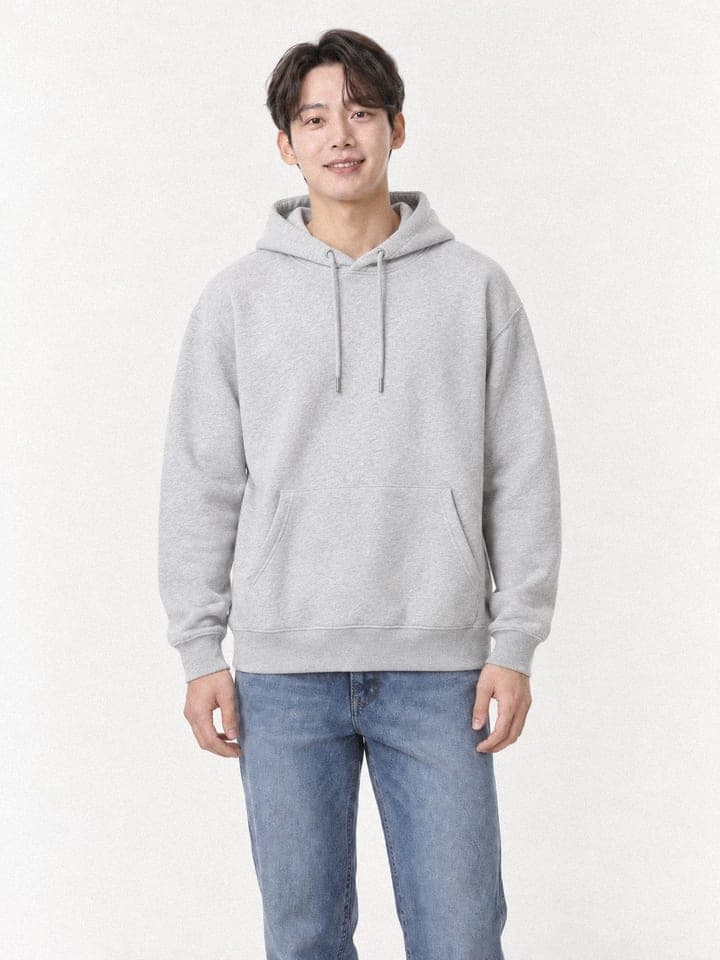
Upper body
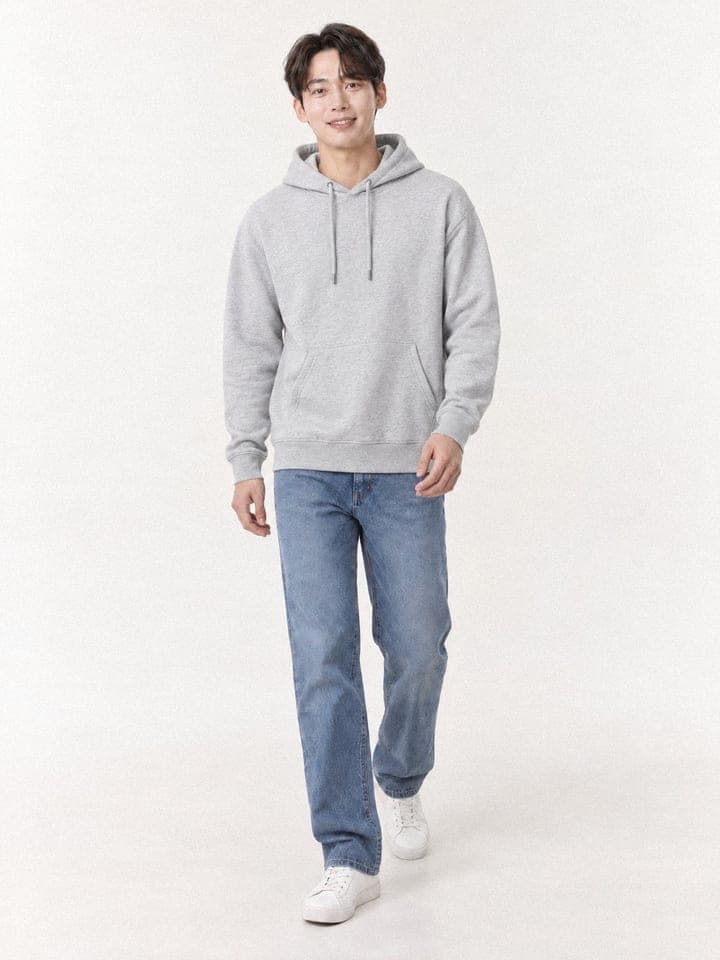
Walking
The example garment is an AI-made sample too, not a product for sale.
Making a lookbook on Lookbook.im
Upload a garment photo
A photo of the garment laid flat or on a hanger is enough.
Pick a model and background
Choose a house AI model and background. If you upload your own model photo, it keeps that photo’s pose and background.
Pick poses and shoot
You get one image per chosen pose, about 30 seconds each.
Add to a lookbook and share
Add your favorite shots to a lookbook and share it by link; viewers do not need an account. You can also download shots individually.